
QIDI PLUS 5 review: a single nozzle in a multi-color world
600+ hours with the QIDI PLUS 5: 320 × 320 × 300 mm build volume, 370 ℃ nozzle and 65 ℃ heated chamber around VND 20 million — pros, cons and who should buy it.
If you're an engineering student, a broke engineer or a founder starting from scratch — not much spare cash, but still dreaming of a 3D printer with a large build volume, a fully enclosed chamber and active chamber heating for research and engineering work, no bells and whistles, just reliable — the QIDI PLUS 5 may well be the one to consider.
I spent more than 600 hours of printing on the QIDI PLUS 5, a single-nozzle machine launched at a time when everyone is talking about nozzle changers and tool changers. This article sums up what I found in the video: the strengths, the weaknesses, who should buy it and who should stay away.
Disclosure: This video is sponsored by QIDI — I received the printer free of charge to test. QIDI had no input on the content. The opinions are my own, from an engineer's point of view, and the issues I ran into may be random and not 100% representative of the product.
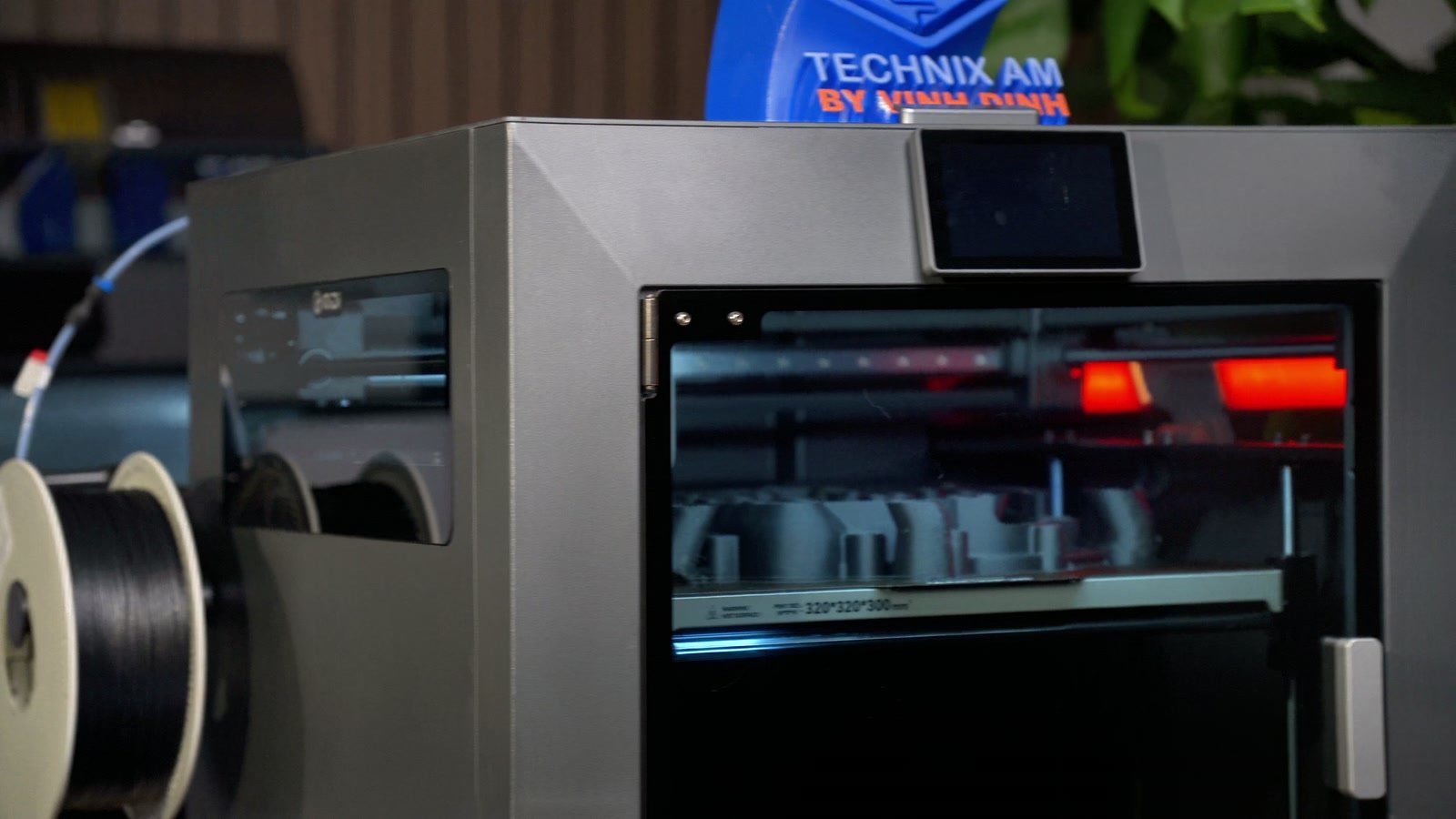
Key specs and price
| Item | QIDI PLUS 5 |
|---|---|
| Type | CoreXY, fully enclosed |
| Build volume | 320 × 320 × 300 mm |
| Max speed | 600 mm/s |
| Max acceleration | ≤ 20,000 mm/s² |
| Max nozzle temperature | 370 ℃ |
| Max bed temperature | 120 ℃ |
| Active chamber heating | up to 65 ℃ |
| Motion system | square linear rail on X, 9 mm GT1.5 belts; Z: 2 lead screws + 4 guide rods |
| Extruder | direct drive, hardened steel gears, bi-metal hardened steel nozzle |
| Air filtration | 3-stage: G3 pre-filter + H12 HEPA + coconut-shell activated carbon |
| Multi-color | requires QIDI Box (with filament drying and dehumidifying) |
| Price in Vietnam (3D Coretech, at time of filming) | VND 19.9 million standalone · VND 23.9 million combo with QIDI Box |
The PLUS 5 is the successor to the PLUS 4 — a printer I reviewed more than a year ago and was pretty negative about. So honestly, I was skeptical when it arrived. The build volume is only slightly larger than its predecessor, but it beats most competitors around VND 20 million, and is only a little smaller than some higher-end machines like the Bambu Lab H2S. Next to the Creality K2 Pro (same price, similar build volume), I lean clearly toward the PLUS 5.
The standout spec is the 370 ℃ nozzle — most printers in this price range top out at around 300 ℃.
Unboxing, setup and first start
I got the standalone version, so unboxing is simple. The only caveat: the printer is big, so you'll want at least 2 people to lift it out.
- The screen comes pre-installed. Remove the 4 bed-locking screws, cut a few zip ties, mount the spool holder, peel off the stickers — under 20 minutes.
- In the box: 20 g of black PLA, hex keys, a nozzle wrench, a screwdriver, an external spool holder, grease, basic spare parts, an Ethernet cable, a scraper and a USB stick with sample files and the QIDI Studio slicer.
After powering on and picking a language, you can connect via the QIDI Maker app or LAN Mode. In my experience LAN Mode is more stable in most cases, unless you need to print remotely. The printer then runs its self-check, calibration and bed leveling, which takes about 15–20 minutes.
On the standalone version, loading filament is manual: heat the nozzle (around 200 ℃ for PLA), push the filament in until it stops, then open the temperature menu and press the down arrow so the extruder pulls the filament into the nozzle.
Design, toolhead and air filtration
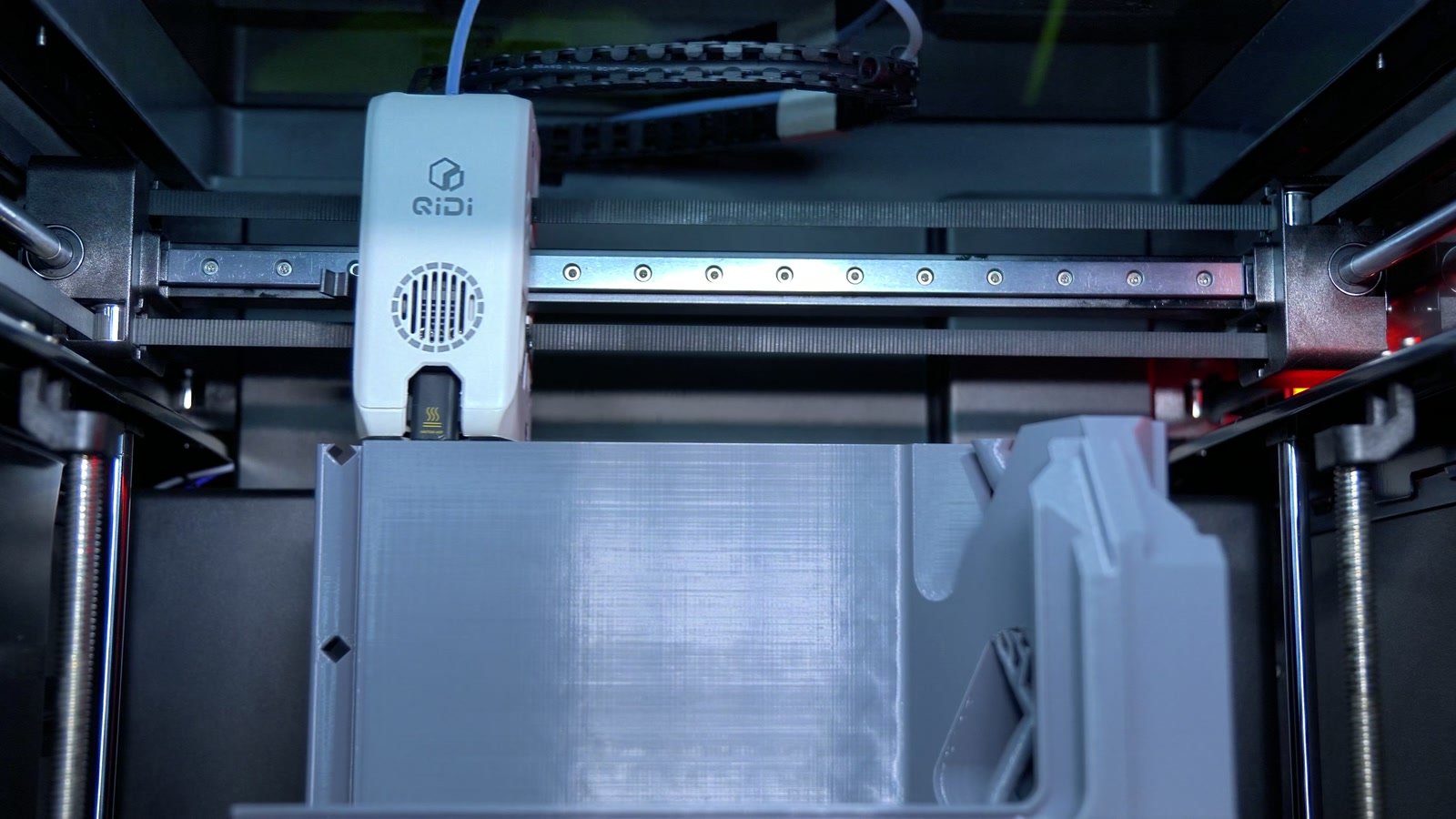
The look follows the PLUS 4 — sharp edges, a bit like a Tesla Cybertruck — but adds two side windows and borrows a lot from the QIDI Max 4: a top lid that slides back, a front door that opens past 180°, and an RGB LED bar under the bed showing progress and status, which makes problems easy to spot during overnight prints.
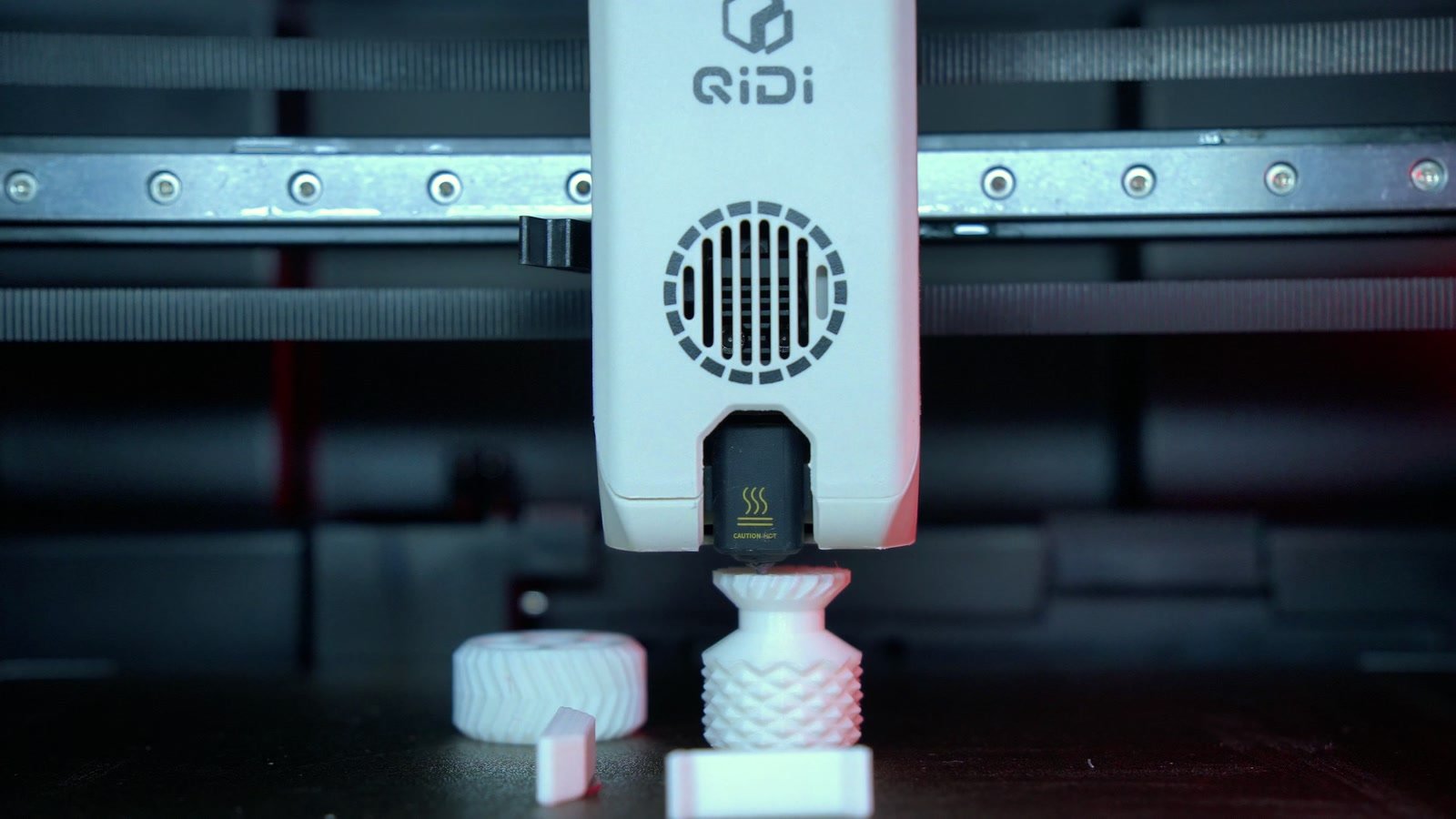
The hotend is where I'm not convinced: a long core runs through the aluminium heat sink, threaded in from below, with a ceramic thermal break that is quite brittle. While many brands have moved to quick-swap hotends, QIDI sticks with a traditional design — replacing the nozzle or clearing a clog takes more effort, and you need to be careful not to crack the ceramic part.
The 3-stage filter can, in theory, capture 99.5% of dust and microplastics. But like most enclosed printers, QIDI still recommends opening the front door and top lid when printing PLA to avoid heat creep and jams at the extruder gears — and with the door open, the filter is largely pointless. QIDI offers an optional Polar Cooler that blows cool air onto the extruder gears, but in my view it doesn't fully solve the problem, since heat creep mostly happens in the heat sink above the nozzle.
Print quality, material by material
PLA and Silk PLA
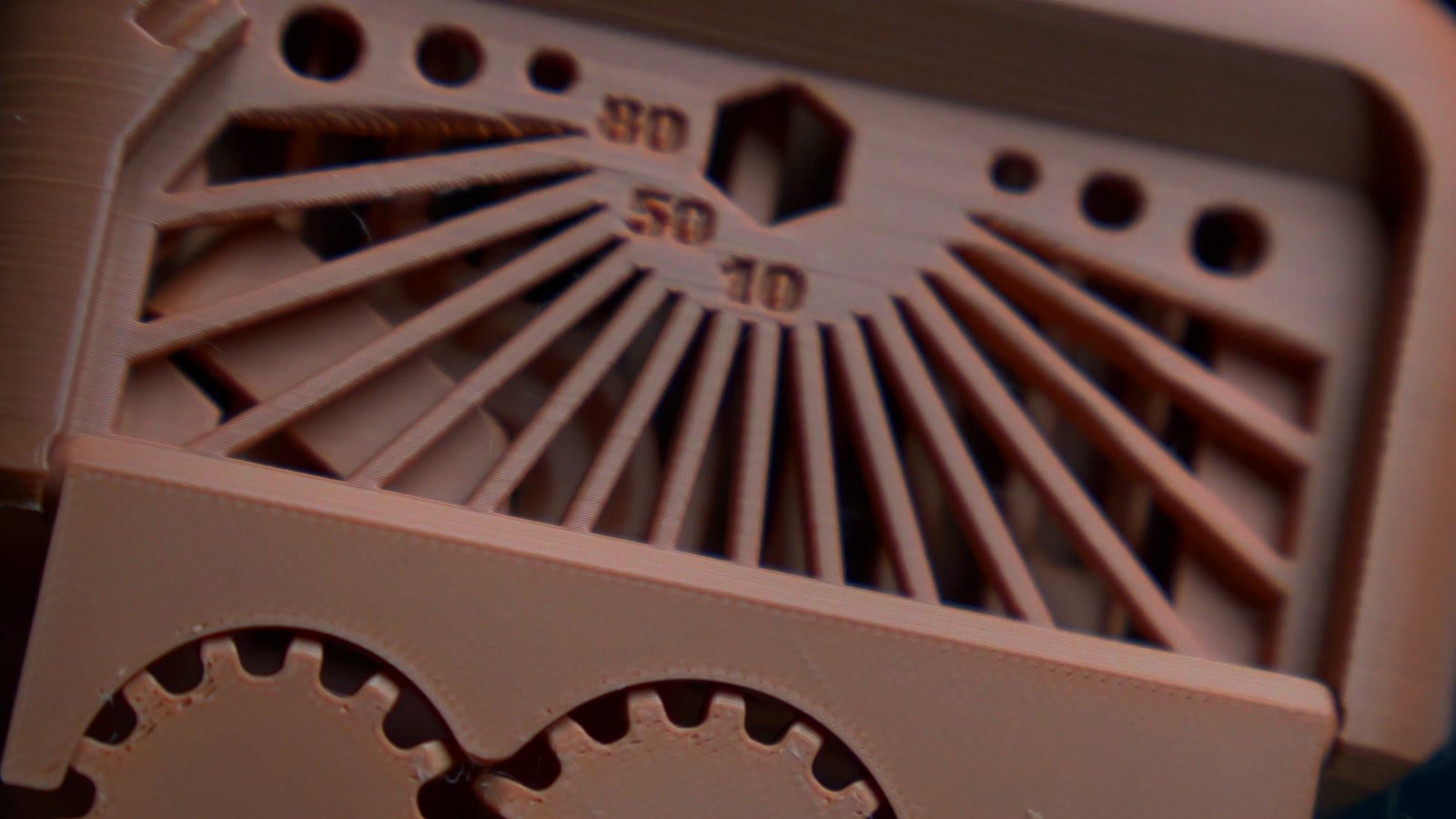
I started with light-brown PLA+ from Creat3D at 0.16 mm layers: a Benchy, a phone stand (both pre-sliced files on the printer) and a torture test.
- Benchy: done in about 20 minutes, almost no VFA, smooth hull, a great first layer, bridges and overhangs hard to fault. Quite a bit of stringing, because the default file prints at 220 ℃ while my filament prefers 205–210 ℃.
- Phone stand: smooth vertical walls, no Z-wobble — something dual lead screw Z systems can sometimes cause.
- Torture test: after lowering the temperature, stringing dropped noticeably, the clearance test moved freely at 0.2 mm and overhangs stayed clean up to 70°. I'd rate it 8.5–9/10.
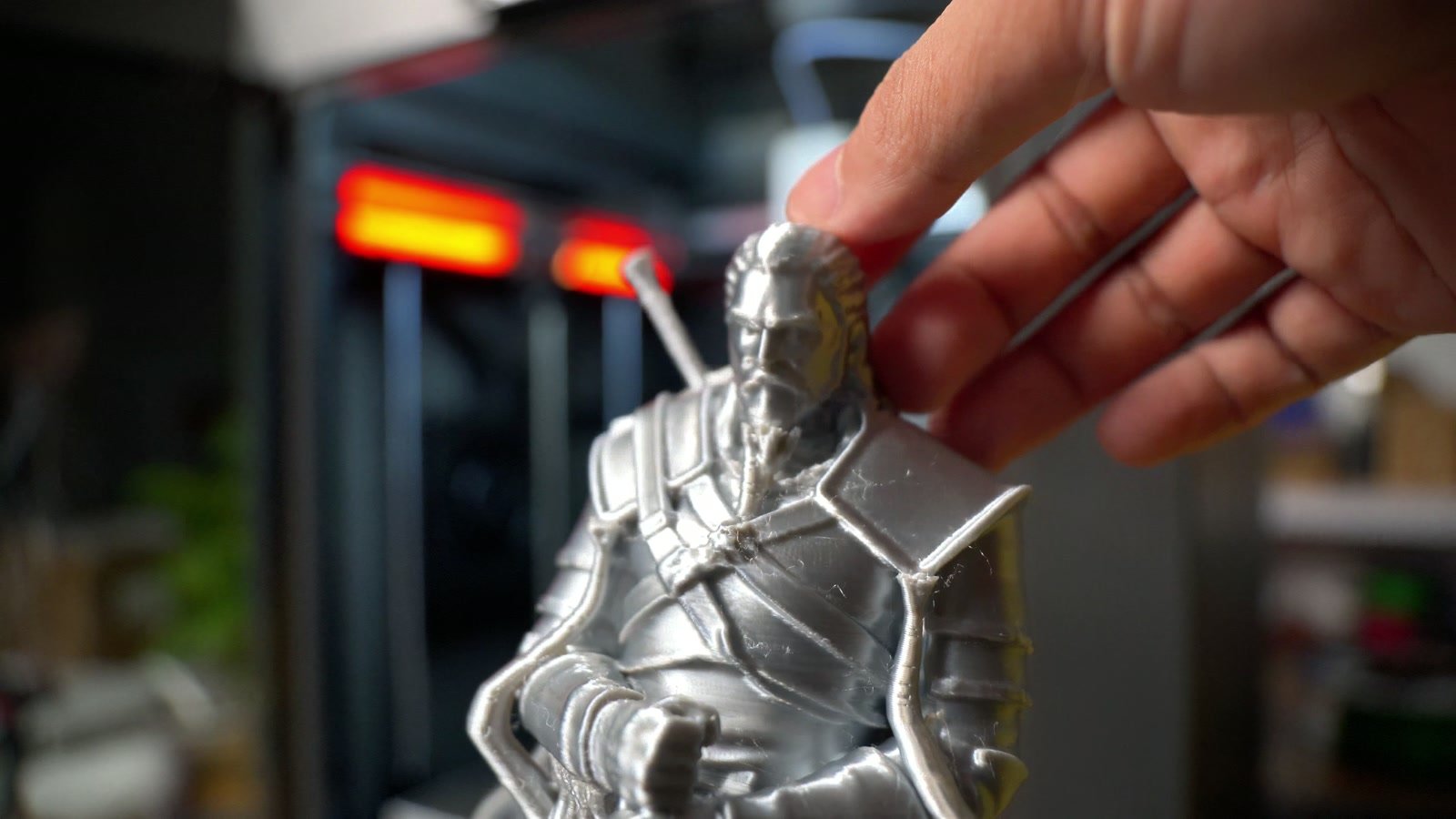
Next came a Geralt of Rivia statue in silver Silk PLA from STEM at 0.16 mm — over 27 hours of continuous printing. A few support strands broke, and the thin monster horns and sword came out rough with some ringing; this early test spool also had visible color shifts. Apart from those spots, the surface is unbelievably smooth — I'm quite happy with it.
PETG and PETG-CF
I printed a planter scaled to the full build volume, plus a few smaller ones, in PETG from several brands. The first layer on the largest planter was close to perfect, the finished part didn't warp, and the thin Voronoi details at the base all came out. Accurate bed leveling is the baseline any printer launched in the last two years should meet — and the PLUS 5 does.
The biggest project was a riser I designed for the PLUS 5, printed in grey PETG from STEM and navy PETG-CF from Bambu Lab: almost 82 hours of printing and about 3.2 kg of filament, about 20 hours per large part, at 0.2 mm layers. Smooth surfaces, slight roughness on a few overhangs, easy assembly, and a perfect fit on the printer. The riser has front rollers for printing TPU directly (slide the top lid back, put the spool on, feed it straight into the toolhead) and 2 storage drawers. The download link is in the video description.
ABS
I printed a waste bin and poop chute in ABS, using the 3 existing screw holes at the back. The surface is fairly smooth with no warping or layer separation; thin edges still show slight VFA ringing. I've uploaded the file to QIDI Maker — QIDI's model-sharing platform, similar to MakerWorld but still fairly basic in features.
Engineering materials: PA6-GF, PC-GF, PPS-CF
This is the PLUS 5's target audience, so I spent a lot of time here:
- PA6-GF: a nearly full-bed housing, printed continuously for about 30 hours at 0.2 mm. Excellent surface, no warping, no layer separation, easy support removal.
- PC-GF: the black parts of the D-Gear Dock phone stand I made for the Ariel Cup contest — good dimensional accuracy. The whole dock, from test prints to final V1, was printed on the PLUS 5 (red parts in Tinmorry PETG).
- QIDI PPS-CF: the toughest one. An impeller printed at 340 ℃, bed at 120 ℃, chamber at 65 ℃. Even, well-finished surfaces and supports that came off easily.
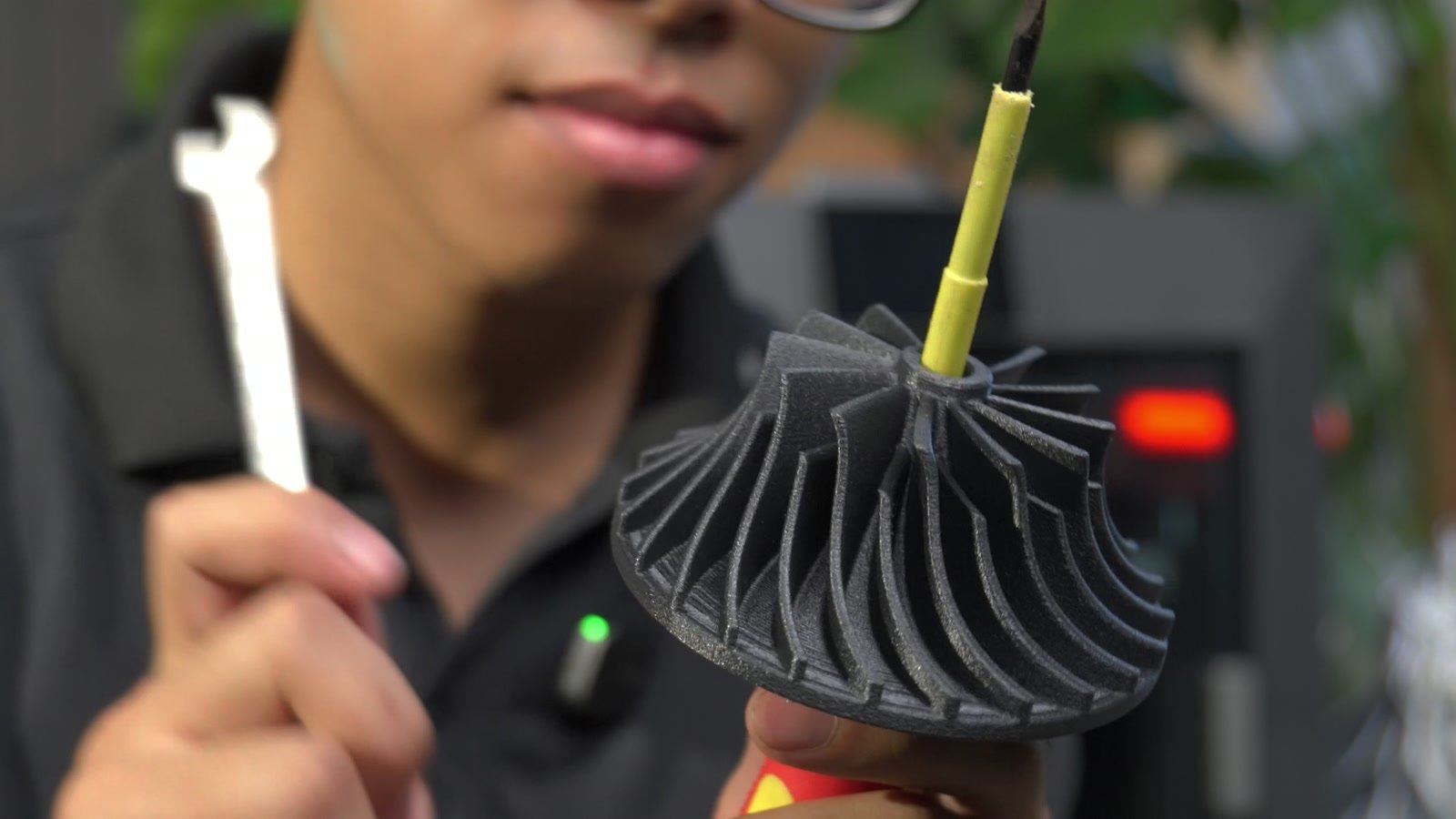
PPS-CF tip: the filament is brittle, so load it gently. When switching to another material, heat the nozzle to about 350 ℃, purge the PPS-CF with a filament that prints at a similar temperature (PC, for example), then step the temperature down with lower-temperature filaments (like ABS). This helps avoid clogs when moving from high- to low-temperature materials.
TPU 85A — and the missing bearing
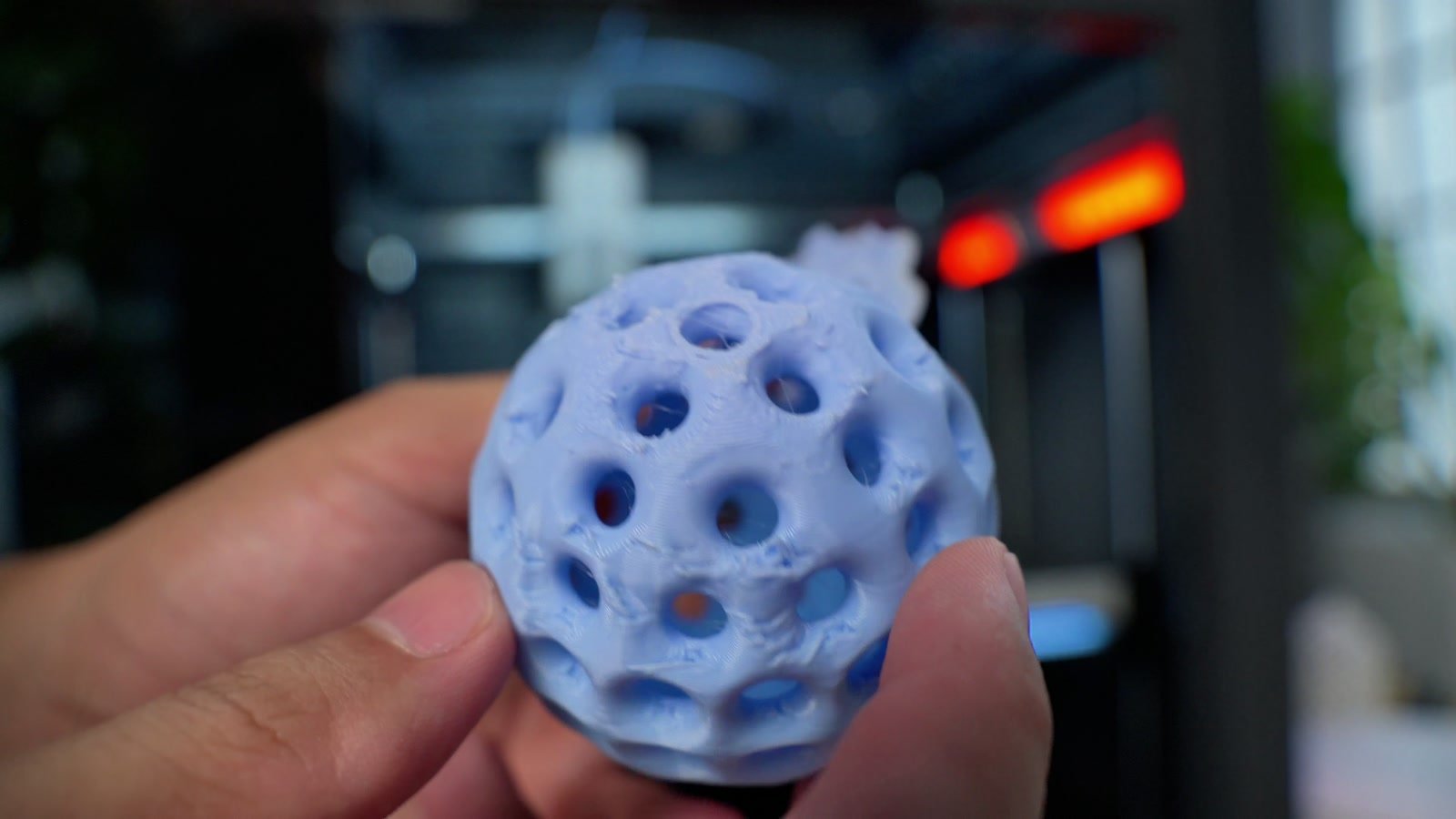
Rainbow TPU 85A, printed at 220 ℃, fed from the riser's rollers. At first it wouldn't print: extrusion was very weak. Checking the extruder, I found that one of the extruder gears had no bearing installed — most likely an assembly-line mistake. Stiff filaments still got pulled through, but with soft TPU there just wasn't enough grip.
After buying and fitting the right-size bearings, TPU extruded much more easily. The TPU ball printed at 0.2 mm has smooth surfaces, some stringing inside — a very good result for TPU — and supports peeled off easily and cleanly.
Rated against our criteria
- Print quality: good and consistent across PLA, PETG, ABS as well as PA6-GF, PC-GF and PPS-CF. First layers, bed leveling and Z surfaces are all solid.
- Speed: 600 mm/s and 20,000 mm/s² are in line with most printers in this class. The default Benchy takes about 20 minutes. I didn't measure speed separately, so I won't compare in detail here.
- Material support: its biggest strength — 370 ℃ nozzle, 120 ℃ bed, 65 ℃ actively heated chamber, and a hardened steel nozzle for carbon- and glass-fiber filaments.
- Reliability: a huge improvement over the PLUS 4. Almost every print was just clean the bed (glue for engineering materials; none needed for PLA and PETG), load filament and hit print. The exception was TPU, because of the missing bearing.
- Value for money: around VND 20 million for a 320 × 320 × 300 mm build volume and those temperature specs is, in my view, very good value.
Pros
- Good print quality and high reliability — a different machine from the PLUS 4.
- Quick, simple unboxing and setup.
- Large build volume and class-leading specs around VND 20 million.
- Enclosed, actively heated chamber, 370 ℃ nozzle, 120 ℃ bed — more stable and accurate engineering-material prints.
- Bright LED lighting, enough to film without extra lights.
Cons
- Hotend and extruder removal is still complicated and old-school. I'd like a quick-swap system like Bambu Lab or Sparkx i7.
- The ceramic thermal break in the hotend is brittle, and replacement probably isn't cheap.
- The camera is fairly blurry compared to other printers — a step back, although the frame rate is high and spaghetti detection works reasonably well.
- Noticeably louder than Bambu Lab printers such as the H2S.
- My unit was missing a bearing on the extruder gear (possibly an isolated case).
Who should buy it, and who shouldn't?
Skip it if you mostly print multi-color items — keychains, decorative models, flexi toys — in PLA/PETG to sell online or from a home shop. Despite the competitive price, at around VND 20 million machines like the Snapmaker U1 are a much better fit for that.
Consider it if you mostly print single-color parts and need a large build volume and engineering materials: from ABS and ASA to PA, PC, PA-CF/GF, PC-GF, and further up to PPS-CF and PAHT-CF/GF. Around VND 20 million, it's definitely worth a look — and beginners can pick it up fairly easily too.
I'm still using the PLUS 5 daily to print parts for the third Ariel Cup. Compared to its predecessor, it has turned into a far more dependable printer — apart from the bearing, it hasn't let me down.
If you decide to buy a QIDI PLUS 5 in Vietnam, you can contact 3D Coretech, QIDI's official distributor, for more detailed advice. Already using a PLUS 5? Share your experience in the video comments.